Structured Logging — Serilog + Seq Kurulumu
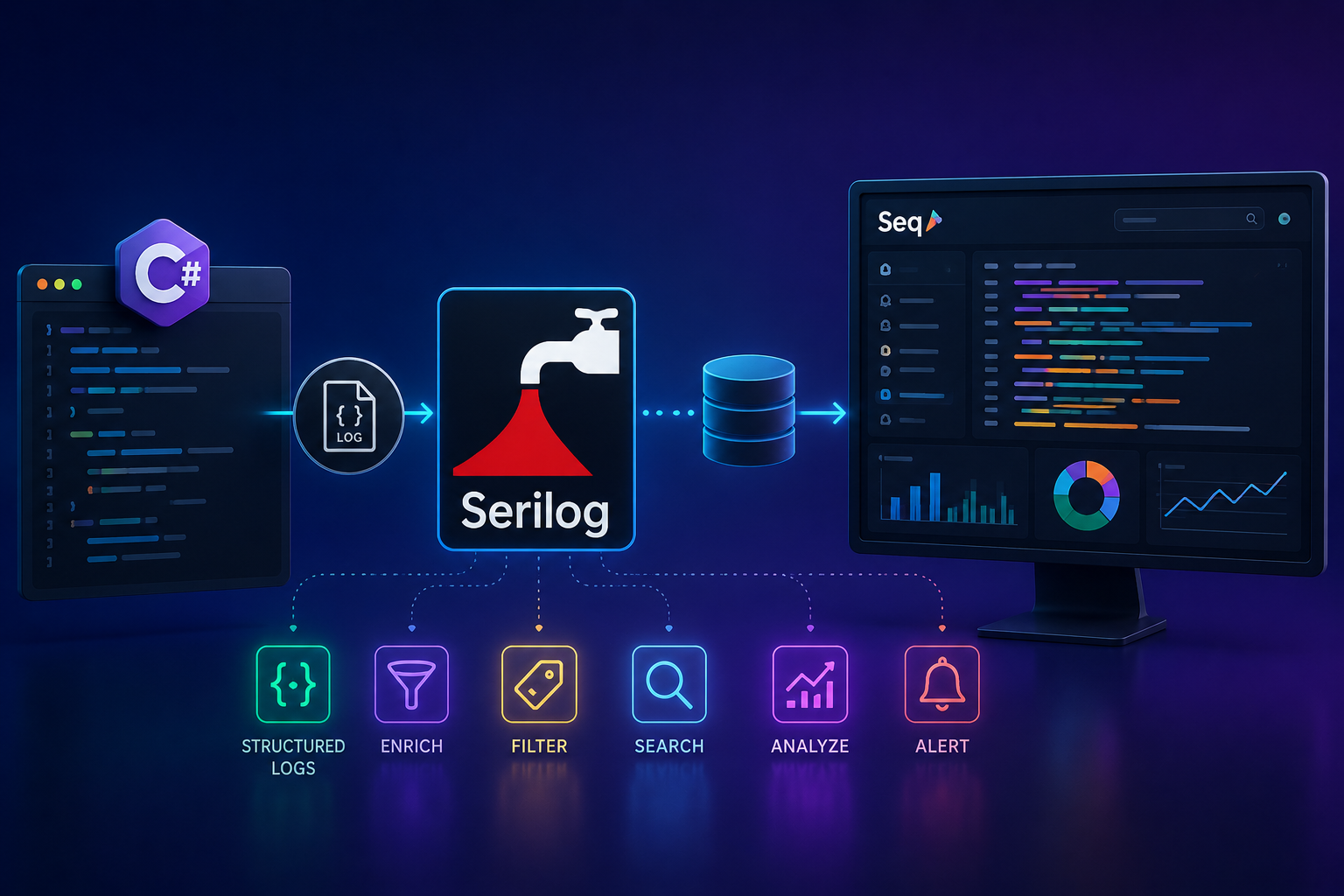
Structured Logging — Serilog + Seq Kurulumu
Düz Metin Log Neden Yetersiz?
Production'da bir hata alındı. Logları açtınız:
[2024-01-15 14:32:11] ERROR: Sipariş işlenemedi
[2024-01-15 14:32:11] INFO: Kullanıcı giriş yaptı
[2024-01-15 14:32:12] ERROR: Veritabanı bağlantısı kesildi
[2024-01-15 14:32:12] INFO: Sipariş oluşturuldu
[2024-01-15 14:32:13] ERROR: Sipariş işlenemedi
Sorular:
- Hangi kullanıcının siparişi işlenemedi?
- Hangi sipariş ID'si?
- Kaç kullanıcı etkilendi?
- Hata ne sıklıkla tekrarlanıyor?
- Veritabanı bağlantısı mı yoksa başka bir şey mi neden oldu?
Düz metin logda bu soruların cevabı yoktur. Aynı log yapılandırılmış biçimde yazılsaydı:
{
  "Timestamp": "2024-01-15T14:32:11.234Z",
  "Level": "Error",
  "Message": "Sipariş işlenemedi",
  "OrderId": "3fa85f64-5717-4562-b3fc-2c963f66afa6",
  "CustomerId": "8a7b6c5d-4e3f-2a1b-0c9d-8e7f6a5b4c3d",
  "TotalAmount": 1250.00,
  "ErrorCode": "PAYMENT_GATEWAY_TIMEOUT",
  "TraceId": "abc123def456",
  "RequestId": "req_789xyz"
}
Artık her sorunun cevabı var. OrderId'ye göre filtreleyebilir, CustomerId bazında gruplayabilir, ErrorCode'a göre sayabilirsiniz.
İşte bu structured logging'dir.
Serilog Nedir?
Serilog, .NET için en yaygın kullanılan structured logging kütüphanesidir. İki temel kavramla çalışır:
Sink — Log nereye yazılacak? (Console, dosya, Seq, Elasticsearch...)
Enricher — Log'a ne ekleneceği? (MachineName, ThreadId, CorrelationId...)
Uygulama
   ↓ log yazar
Serilog
   ├── Sink: Console
   ├── Sink: File (günlük rotate)
   ├── Sink: Seq (merkezi platform)
   └── Sink: Application Insights
Seq Nedir?
Seq, structured log'lar için özel geliştirilmiş merkezi bir log yönetim platformudur. Elasticsearch/Kibana kurulumu gerektirmeden, MSSQL gibi bilinen bir teknoloji üzerinde çalışır. Development için ücretsizdir.
Serilog → Seq
             ├── Full-text arama
             ├── LINQ benzeri filtre sorguları
             ├── Alert ve notification
             ├── Dashboard ve grafik
             └── Log retention yönetimi
Kurulum
NuGet Paketleri
dotnet add package Serilog.AspNetCore
dotnet add package Serilog.Sinks.Console
dotnet add package Serilog.Sinks.File
dotnet add package Serilog.Sinks.Seq
dotnet add package Serilog.Enrichers.Environment
dotnet add package Serilog.Enrichers.Thread
dotnet add package Serilog.Enrichers.Process
dotnet add package Serilog.Enrichers.CorrelationId
Seq Docker ile Ayağa Kaldırma
# docker-compose.yml
version: '3.8'

services:
  seq:
    image: datalust/seq:latest
    container_name: seq
    ports:
      - "5341:5341"    # Ingestion port — Serilog buraya yazar
      - "8080:80"      # Web UI — http://localhost:8080
    environment:
      ACCEPT_EULA: Y
      SEQ_FIRSTRUN_ADMINPASSWORD: "Admin123!"
    volumes:
      - seq_data:/data

volumes:
  seq_data:
docker-compose up -d
# Web UI: http://localhost:8080
# Kullanıcı: admin / Admin123!
Temel Yapılandırma
Program.cs — Kod ile Yapılandırma
// Program.cs
using Serilog;
using Serilog.Events;

// Bootstrap logger — uygulama başlarken oluşabilecek hataları yakala
Log.Logger = new LoggerConfiguration()
    .MinimumLevel.Override("Microsoft", LogEventLevel.Warning)
    .WriteTo.Console()
    .CreateBootstrapLogger();

try
{
    Log.Information("Uygulama başlatılıyor...");

    var builder = WebApplication.CreateBuilder(args);

    // Serilog'u host'a entegre et
    builder.Host.UseSerilog((context, services, configuration) =>
    {
        configuration
            .ReadFrom.Configuration(context.Configuration)
            .ReadFrom.Services(services)
            .Enrich.FromLogContext()
            .Enrich.WithMachineName()
            .Enrich.WithEnvironmentName()
            .Enrich.WithThreadId()
            .Enrich.WithProcessId()
            .Enrich.WithCorrelationId()
            .WriteTo.Console(
                outputTemplate: "[{Timestamp:HH:mm:ss} {Level:u3}] {Message:lj} " +
                                "{Properties:j}{NewLine}{Exception}")
            .WriteTo.File(
                path: "logs/app-.log",
                rollingInterval: RollingInterval.Day,
                retainedFileCountLimit: 30,
                outputTemplate: "{Timestamp:yyyy-MM-dd HH:mm:ss.fff zzz} [{Level:u3}] " +
                                "{Message:lj}{NewLine}{Exception}")
            .WriteTo.Seq(context.Configuration["Seq:ServerUrl"]!);
    });

    // Servis kayıtları
    builder.Services.AddControllers();
    // ...

    var app = builder.Build();

    // HTTP istek logları — Serilog middleware
    app.UseSerilogRequestLogging(options =>
    {
        options.MessageTemplate =
            "HTTP {RequestMethod} {RequestPath} → {StatusCode} ({Elapsed:0.0000}ms)";

        // İstek loglarına ek bilgi ekle
        options.EnrichDiagnosticContext = (diagnosticContext, httpContext) =>
        {
            diagnosticContext.Set("RequestHost", httpContext.Request.Host.Value);
            diagnosticContext.Set("RequestScheme", httpContext.Request.Scheme);
            diagnosticContext.Set("UserAgent", httpContext.Request.Headers.UserAgent);
            diagnosticContext.Set("ClientIp",
                httpContext.Connection.RemoteIpAddress?.ToString());
            diagnosticContext.Set("UserId",
                httpContext.User.FindFirst(ClaimTypes.NameIdentifier)?.Value ?? "anonymous");
        };

        // Health check loglarını bastır
        options.GetLevel = (httpContext, elapsed, ex) =>
        {
            if (ex is not null) return LogEventLevel.Error;
            if (httpContext.Response.StatusCode >= 500) return LogEventLevel.Error;
            if (httpContext.Response.StatusCode >= 400) return LogEventLevel.Warning;
            if (httpContext.Request.Path.StartsWithSegments("/health")) return LogEventLevel.Verbose;
            if (elapsed > 1000) return LogEventLevel.Warning;
            return LogEventLevel.Information;
        };
    });

    app.MapControllers();
    app.Run();

    return 0;
}
catch (Exception ex)
{
    Log.Fatal(ex, "Uygulama beklenmedik şekilde sonlandı.");
    return 1;
}
finally
{
    // Buffer'daki tüm logları flush et
    await Log.CloseAndFlushAsync();
}
appsettings.json ile Yapılandırma
Kod yerine configuration dosyasında yönetmek deployment'ı kolaylaştırır — kod değiştirmeden log level değiştirilebilir:
{
  "Serilog": {
    "Using": [
      "Serilog.Sinks.Console",
      "Serilog.Sinks.File",
      "Serilog.Sinks.Seq"
    ],
    "MinimumLevel": {
      "Default": "Information",
      "Override": {
        "Microsoft": "Warning",
        "Microsoft.AspNetCore": "Warning",
        "Microsoft.EntityFrameworkCore": "Warning",
        "Microsoft.EntityFrameworkCore.Database.Command": "Information",
        "System": "Warning",
        "System.Net.Http.HttpClient": "Warning"
      }
    },
    "WriteTo": [
      {
        "Name": "Console",
        "Args": {
          "theme": "Serilog.Sinks.SystemConsole.Themes.AnsiConsoleTheme::Code, Serilog.Sinks.Console",
          "outputTemplate": "[{Timestamp:HH:mm:ss} {Level:u3}] {Message:lj} {Properties:j}{NewLine}{Exception}"
        }
      },
      {
        "Name": "File",
        "Args": {
          "path": "logs/app-.log",
          "rollingInterval": "Day",
          "retainedFileCountLimit": 30,
          "fileSizeLimitBytes": 104857600,
          "outputTemplate": "{Timestamp:yyyy-MM-dd HH:mm:ss.fff zzz} [{Level:u3}] {Message:lj}{NewLine}{Exception}"
        }
      },
      {
        "Name": "Seq",
        "Args": {
          "serverUrl": "http://localhost:5341",
          "apiKey": ""
        }
      }
    ],
    "Enrich": [
      "FromLogContext",
      "WithMachineName",
      "WithEnvironmentName",
      "WithThreadId",
      "WithProcessId"
    ],
    "Properties": {
      "Application": "MyApp",
      "Environment": "Production"
    }
  },
  "Seq": {
    "ServerUrl": "http://localhost:5341"
  }
}
Structured Logging Doğru Kullanımı
Message Template — En Önemli Kural
// ❌ String interpolation — yapıyı bozar, değerler ayrıştırılamaz
_logger.LogInformation($"Sipariş {orderId} oluşturuldu, tutar: {amount}");

// ❌ String concatenation — aynı sorun
_logger.LogInformation("Sipariş " + orderId + " oluşturuldu");

// ✅ Message template — değerler ayrı property olarak saklanır
_logger.LogInformation(
    "Sipariş oluşturuldu. OrderId: {OrderId} | Tutar: {Amount:C}",
    orderId, amount);

// ✅ Nesne destructuring — @ prefix ile tüm property'ler ayrı ayrı indexlenir
_logger.LogInformation("Sipariş alındı: {@Order}", new
{
    OrderId = order.Id,
    CustomerId = order.CustomerId,
    ItemCount = order.Items.Count,
    TotalAmount = order.TotalAmount
});
Fark nedir?
String interpolation ile Seq'te arama yapamazsınız — metin içinde kaybolur.
Message template ile OrderId = "3fa85f64" olarak ayrı bir field oluşur, filtrelenebilir.
Log Level Seçimi
public class OrderService
{
    private readonly ILogger<OrderService> _logger;

    // Verbose — sadece deep debugging, production'da kapalı
    _logger.LogTrace("GetOrders çağrıldı. CustomerId: {CustomerId}", customerId);

    // Debug — geliştirme ve test için
    _logger.LogDebug(
        "Cache miss. OrderId: {OrderId} — veritabanından okunuyor.", orderId);

    // Information — iş akışının normal adımları
    _logger.LogInformation(
        "Sipariş oluşturuldu. OrderId: {OrderId} | CustomerId: {CustomerId} | Tutar: {Amount:C}",
        order.Id, order.CustomerId, order.TotalAmount);

    // Warning — beklenen ama dikkate değer durumlar
    _logger.LogWarning(
        "Yetersiz stok. ProductId: {ProductId} | İstenen: {Requested} | Mevcut: {Available}",
        productId, requestedQty, availableQty);

    // Error — işlenmiş hata — uygulama devam ediyor
    _logger.LogError(ex,
        "Ödeme işlemi başarısız. OrderId: {OrderId} | Hata: {ErrorCode}",
        orderId, ex.ErrorCode);

    // Fatal — uygulama devam edemiyor
    _logger.LogCritical(ex,
        "Veritabanına bağlanılamıyor. ConnectionString: {Server}",
        serverName);
}
LogContext ile Dinamik Enrichment
// Handler veya middleware'de — tüm alt log'lara otomatik eklenir
public class CreateOrderCommandHandler
    : IRequestHandler<CreateOrderCommand, Guid>
{
    public async Task<Guid> Handle(
        CreateOrderCommand command,
        CancellationToken ct)
    {
        // Bu using bloğu içindeki tüm log'lara OrderId eklenir
        using (LogContext.PushProperty("OrderId", command.OrderId))
        using (LogContext.PushProperty("CustomerId", command.CustomerId))
        using (LogContext.PushProperty("Operation", "CreateOrder"))
        {
            _logger.LogInformation("Sipariş işlemi başladı.");

            var order = await CreateOrderAsync(command, ct);

            _logger.LogInformation(
                "Ödeme başlatılıyor. Amount: {Amount}", order.TotalAmount);

            await ProcessPaymentAsync(order, ct);

            _logger.LogInformation("Sipariş başarıyla tamamlandı.");
            // Her log satırında OrderId, CustomerId ve Operation otomatik var

            return order.Id;
        }
    }
}
Enricher'lar
Correlation ID Enricher
Dağıtık sistemlerde bir isteği uçtan uca izlemek için:
// CorrelationIdMiddleware.cs
public class CorrelationIdEnricherMiddleware
{
    private readonly RequestDelegate _next;

    public CorrelationIdEnricherMiddleware(RequestDelegate next)
    {
        _next = next;
    }

    public async Task InvokeAsync(HttpContext context)
    {
        var correlationId = context.Request.Headers["X-Correlation-Id"]
            .FirstOrDefault() ?? Guid.NewGuid().ToString("N")[..12];

        context.Response.Headers["X-Correlation-Id"] = correlationId;

        using (LogContext.PushProperty("CorrelationId", correlationId))
        using (LogContext.PushProperty("RequestPath", context.Request.Path.Value))
        using (LogContext.PushProperty("RequestMethod", context.Request.Method))
        {
            await _next(context);
        }
    }
}
Custom Enricher — Tenant Bilgisi
// TenantEnricher.cs
public class TenantLogEnricher : ILogEventEnricher
{
    private readonly IHttpContextAccessor _httpContextAccessor;

    public TenantLogEnricher(IHttpContextAccessor httpContextAccessor)
    {
        _httpContextAccessor = httpContextAccessor;
    }

    public void Enrich(LogEvent logEvent, ILogEventPropertyFactory propertyFactory)
    {
        var httpContext = _httpContextAccessor.HttpContext;
        if (httpContext is null) return;

        // Tenant bilgisini her log'a ekle
        if (httpContext.Items.TryGetValue("TenantId", out var tenantId))
        {
            logEvent.AddPropertyIfAbsent(
                propertyFactory.CreateProperty("TenantId", tenantId));
        }

        // Kullanıcı bilgisi
        var userId = httpContext.User.FindFirst(ClaimTypes.NameIdentifier)?.Value;
        if (userId is not null)
        {
            logEvent.AddPropertyIfAbsent(
                propertyFactory.CreateProperty("UserId", userId));
        }

        var userEmail = httpContext.User.FindFirst(ClaimTypes.Email)?.Value;
        if (userEmail is not null)
        {
            logEvent.AddPropertyIfAbsent(
                propertyFactory.CreateProperty("UserEmail", userEmail));
        }
    }
}

// Kayıt
builder.Services.AddSingleton<TenantLogEnricher>();

builder.Host.UseSerilog((ctx, services, cfg) =>
{
    cfg.Enrich.With(services.GetRequiredService<TenantLogEnricher>());
    // ...
});
Sink'ler
Ortam Bazlı Sink Yapılandırması
builder.Host.UseSerilog((context, services, configuration) =>
{
    var env = context.HostingEnvironment;

    configuration
        .ReadFrom.Configuration(context.Configuration)
        .Enrich.FromLogContext()
        .Enrich.WithMachineName();

    // Development — renkli console, verbose
    if (env.IsDevelopment())
    {
        configuration
            .MinimumLevel.Debug()
            .WriteTo.Console(
                theme: AnsiConsoleTheme.Code,
                outputTemplate:
                    "[{Timestamp:HH:mm:ss} {Level:u3}] {SourceContext}{NewLine}" +
                    "  {Message:lj}{NewLine}" +
                    "  {Properties:j}{NewLine}" +
                    "{Exception}");
    }

    // Staging — console + Seq
    if (env.IsStaging())
    {
        configuration
            .MinimumLevel.Information()
            .WriteTo.Console()
            .WriteTo.Seq(context.Configuration["Seq:ServerUrl"]!);
    }

    // Production — dosya + Seq + hata alert'i
    if (env.IsProduction())
    {
        configuration
            .MinimumLevel.Warning()
            .WriteTo.File(
                new JsonFormatter(),                // JSON formatında dosyaya yaz
                path: "logs/app-.json",
                rollingInterval: RollingInterval.Day,
                retainedFileCountLimit: 14)
            .WriteTo.Seq(
                serverUrl: context.Configuration["Seq:ServerUrl"]!,
                apiKey: context.Configuration["Seq:ApiKey"],
                restrictedToMinimumLevel: LogEventLevel.Information)
            .WriteTo.Seq(
                serverUrl: context.Configuration["Seq:ServerUrl"]!,
                apiKey: context.Configuration["Seq:ApiKey"],
                restrictedToMinimumLevel: LogEventLevel.Error);
                // Error ve üzeri için alert kurulabilir
    }
});
Email Sink — Kritik Hatalar İçin
dotnet add package Serilog.Sinks.Email
configuration.WriteTo.Email(
    new EmailConnectionInfo
    {
        FromEmail = "noreply@myapp.com",
        ToEmail = "ops@myapp.com",
        MailServer = "smtp.myapp.com",
        Port = 587,
        EnableSsl = true,
        NetworkCredentials = new NetworkCredential("user", "pass"),
        EmailSubject = "[MyApp] Kritik Hata Oluştu"
    },
    outputTemplate: "{Timestamp:yyyy-MM-dd HH:mm:ss} [{Level}] {Message}{NewLine}{Exception}",
    restrictedToMinimumLevel: LogEventLevel.Fatal,
    batchPostingLimit: 1);
Seq'te Sorgulama
Seq, LINQ benzeri kendi sorgu dilini sunar:
-- Tüm error ve üzeri
@Level = 'Error' or @Level = 'Fatal'

-- Belirli sipariş
OrderId = '3fa85f64-5717-4562-b3fc-2c963f66afa6'

-- Belirli kullanıcının son 1 saatteki hataları
UserId = 'user-123' and @Level = 'Error' and @Timestamp > Now() - 1h

-- 500ms'den uzun süren istekler
Elapsed > 500

-- Belirli hata kodu
ErrorCode = 'PAYMENT_GATEWAY_TIMEOUT'

-- Tenant bazlı sorgulama
TenantId = 'tenant-abc' and @Level >= 'Warning'

-- Regex ile arama
@Message like '%veritabanı%'

-- Son 5 dakikada hata sayısı
select count(*) from stream
where @Level = 'Error'
  and @Timestamp > Now() - 5m
Alert Yapılandırması
Seq'te belirli koşullar sağlandığında bildirim gönderebilirsiniz:
Seq UI → Alerts → Add Alert

Alert 1 — Fatal Error:
  Signal: @Level = 'Fatal'
  Trigger: İlk oluştuğunda
  Notification: Email → ops@myapp.com

Alert 2 — Yüksek Error Oranı:
  Signal: @Level = 'Error'
  Trigger: 5 dakikada 10'dan fazla
  Notification: Webhook → Slack

Alert 3 — Yavaş İstekler:
  Signal: Elapsed > 2000
  Trigger: 1 dakikada 5'ten fazla
  Notification: Email
Performance Logging — Stopwatch Pattern
// PerformanceLogger.cs
public class PerformanceLogger<T>
{
    private readonly ILogger<T> _logger;

    public PerformanceLogger(ILogger<T> logger)
    {
        _logger = logger;
    }

    public async Task<TResult> MeasureAsync<TResult>(
        string operationName,
        Func<Task<TResult>> operation,
        int warningThresholdMs = 500,
        int errorThresholdMs = 2000)
    {
        var stopwatch = Stopwatch.StartNew();

        try
        {
            var result = await operation();
            stopwatch.Stop();

            var level = stopwatch.ElapsedMilliseconds switch
            {
                var ms when ms > errorThresholdMs => LogEventLevel.Error,
                var ms when ms > warningThresholdMs => LogEventLevel.Warning,
                _ => LogEventLevel.Debug
            };

            _logger.Log(
                (LogLevel)(int)level,
                "Operasyon tamamlandı. {OperationName} → {ElapsedMs}ms",
                operationName,
                stopwatch.ElapsedMilliseconds);

            return result;
        }
        catch (Exception ex)
        {
            stopwatch.Stop();

            _logger.LogError(ex,
                "Operasyon başarısız. {OperationName} → {ElapsedMs}ms",
                operationName,
                stopwatch.ElapsedMilliseconds);

            throw;
        }
    }
}

// Kullanım
public class ProductService
{
    private readonly PerformanceLogger<ProductService> _perfLogger;

    public async Task<List<ProductDto>> GetAllAsync()
    {
        return await _perfLogger.MeasureAsync(
            "GetAllProducts",
            async () => await _context.Products
                .AsNoTracking()
                .Select(p => new ProductDto(p.Id, p.Name, p.Price))
                .ToListAsync(),
            warningThresholdMs: 200);
    }
}
MediatR Pipeline ile Log
// LoggingPipelineBehavior.cs
public class LoggingPipelineBehavior<TRequest, TResponse>
    : IPipelineBehavior<TRequest, TResponse>
    where TRequest : IRequest<TResponse>
{
    private readonly ILogger<LoggingPipelineBehavior<TRequest, TResponse>> _logger;

    public LoggingPipelineBehavior(
        ILogger<LoggingPipelineBehavior<TRequest, TResponse>> logger)
    {
        _logger = logger;
    }

    public async Task<TResponse> Handle(
        TRequest request,
        RequestHandlerDelegate<TResponse> next,
        CancellationToken ct)
    {
        var requestName = typeof(TRequest).Name;
        var requestId = Guid.NewGuid().ToString("N")[..8];

        using (LogContext.PushProperty("RequestName", requestName))
        using (LogContext.PushProperty("RequestId", requestId))
        {
            _logger.LogInformation(
                "MediatR isteği başladı. {RequestName} | Parametreler: {@Request}",
                requestName, request);

            var stopwatch = Stopwatch.StartNew();

            try
            {
                var response = await next();
                stopwatch.Stop();

                _logger.LogInformation(
                    "MediatR isteği tamamlandı. {RequestName} → {ElapsedMs}ms",
                    requestName, stopwatch.ElapsedMilliseconds);

                return response;
            }
            catch (Exception ex)
            {
                stopwatch.Stop();

                _logger.LogError(ex,
                    "MediatR isteği başarısız. {RequestName} → {ElapsedMs}ms",
                    requestName, stopwatch.ElapsedMilliseconds);

                throw;
            }
        }
    }
}
EF Core Sorgu Logları
// appsettings.Development.json
{
  "Serilog": {
    "MinimumLevel": {
      "Override": {
        "Microsoft.EntityFrameworkCore.Database.Command": "Information"
      }
    }
  }
}
// DbContext'te slow query detection
protected override void OnConfiguring(DbContextOptionsBuilder optionsBuilder)
{
    optionsBuilder
        .UseSqlServer(connectionString)
        .LogTo(
            action: (eventId, level) => level == LogLevel.Warning,
            logger: message => Log.Warning("EF Core Yavaş Sorgu: {Message}", message))
        .EnableSensitiveDataLogging(isDevelopment)
        .EnableDetailedErrors(isDevelopment)
        .ConfigureWarnings(warnings =>
            warnings.Throw(RelationalEventId.QueryPossibleUnintendedUseOfEqualsWarning));
}
Log Sanitization — Hassas Veri Maskeleme
// Hassas verileri loglamadan önce maskele
public class SensitiveDataDestructuringPolicy : IDestructuringPolicy
{
    private static readonly HashSet<string> SensitiveFields =
    [
        "Password", "CreditCardNumber", "Cvv",
        "TaxNumber", "BankAccount", "ApiKey", "Secret"
    ];

    public bool TryDestructure(
        object value,
        ILogEventPropertyValueFactory propertyValueFactory,
        out LogEventPropertyValue result)
    {
        if (value is not string strValue ||
            !SensitiveFields.Any(f =>
                strValue.Contains(f, StringComparison.OrdinalIgnoreCase)))
        {
            result = null!;
            return false;
        }

        result = new ScalarValue("***MASKED***");
        return true;
    }
}

// Kayıt
configuration.Destructure.With<SensitiveDataDestructuringPolicy>();

// Attribute ile property bazlı maskeleme
public class CreateUserRequest
{
    public string Email { get; set; } = string.Empty;

    [LogMasked(ShowFirst = 0, ShowLast = 0, PreserveLength = false)]
    public string Password { get; set; } = string.Empty;

    [LogMasked(ShowFirst = 4, ShowLast = 4)]
    public string CreditCardNumber { get; set; } = string.Empty;
    // 1234 **** **** 5678
}
Production Checklist
✅ String interpolation yerine message template kullanılıyor
✅ Her ortam için ayrı minimum log level tanımlandı
✅ Microsoft ve System namespace'leri Warning seviyesinde
✅ Health check endpoint'leri Verbose seviyesinde — noise azaltıldı
✅ 500ms üzeri istekler Warning olarak loglanıyor
✅ CorrelationId her log satırında mevcut
✅ Hassas veriler (şifre, kart no) loglanmıyor veya maskeleniyor
✅ Seq'te alert tanımlandı — Fatal ve yüksek Error oranı için
✅ Log dosyaları günlük rotate ediliyor, 14-30 gün saklanıyor
✅ Log buffer flush edilmiş — Log.CloseAndFlushAsync() çağrılıyor
✅ Seq API key ile korunuyor
✅ LogContext.PushProperty ile request bazlı enrichment yapılıyor
✅ EF Core sorgu logları sadece development'ta açık
✅ Production'da minimum level Warning veya Information
✅ JSON formatter ile dosyaya yazılıyor — makine tarafından okunabilir
Temel Çıkarımlar
- Düz metin log arama yapılabilir değildir — structured logging zorunludur
- Message template kullanmak Serilog'un temel kuralıdır — interpolation yapıyı bozar
- Enricher'lar her log satırına otomatik bağlam ekler — manuel yazmaya gerek kalmaz
- LogContext.PushProperty ile request bazlı bilgi tüm alt log'lara yayılır
- Seq olmadan structured logging'in değeri yarıya düşer — sorgu yapılamazsa ne anlamı var?
- Hassas veriler asla loglanmamalıdır — maskeleme zorunludur
- Log level seçimi önemlidir — her şeyi Information yazmak gürültü yaratır
- Alert mekanizması olmadan monitoring eksiktir — hata olduğunda haberdar olmalısınız
Log yazmak değil, doğru log yazmak önemlidir. Yapılandırılmamış, aranabilir olmayan log; karanlıkta el yordamıyla ilerlemektir. Structured logging ise production'da ışığı açmaktır.